All productsTeam and community chatLive · Free
ZevThread
ZevThread is chat for teams and communities. Talk in channels and direct messages, reply in a thread on any message, share files, and find any decision again later. Free for teams and communities.
What it does
ZevThread at a glance.
Channels and threads
Public and private channels, direct and group messages, and a thread on any message so a discussion never buries the channel. Reply in a thread and also send it to the channel when everyone should see it.
Messages and files
A composer that keeps formatting when you paste, mentions with @channel and @here, reactions, edits, and files and images up to 100 MB on Free.
Realtime
Messages arrive the moment they are sent. See who is typing and who is online, hear a sound for what matters, and never miss a message when your connection drops.
Find anything
Search every channel and conversation you can read, and land on the exact message. Saved, Starred, Threads, Mentions and Drafts and sent keep the rest one click away.
Profiles and status
A profile for each workspace you are in: a name, photo, what you do, pronouns, time zone, contact details and links. Set a status that clears itself.
Teams and communities
Create a workspace for your team or your community, invite people by email or with a link, and switch between every workspace you are in from one rail.
Notifications
Unread counts, mention badges and sounds in the app, and an email when you are away and something still needs you: every 15 minutes, hourly, or never.
In the product
See ZevThread at work.
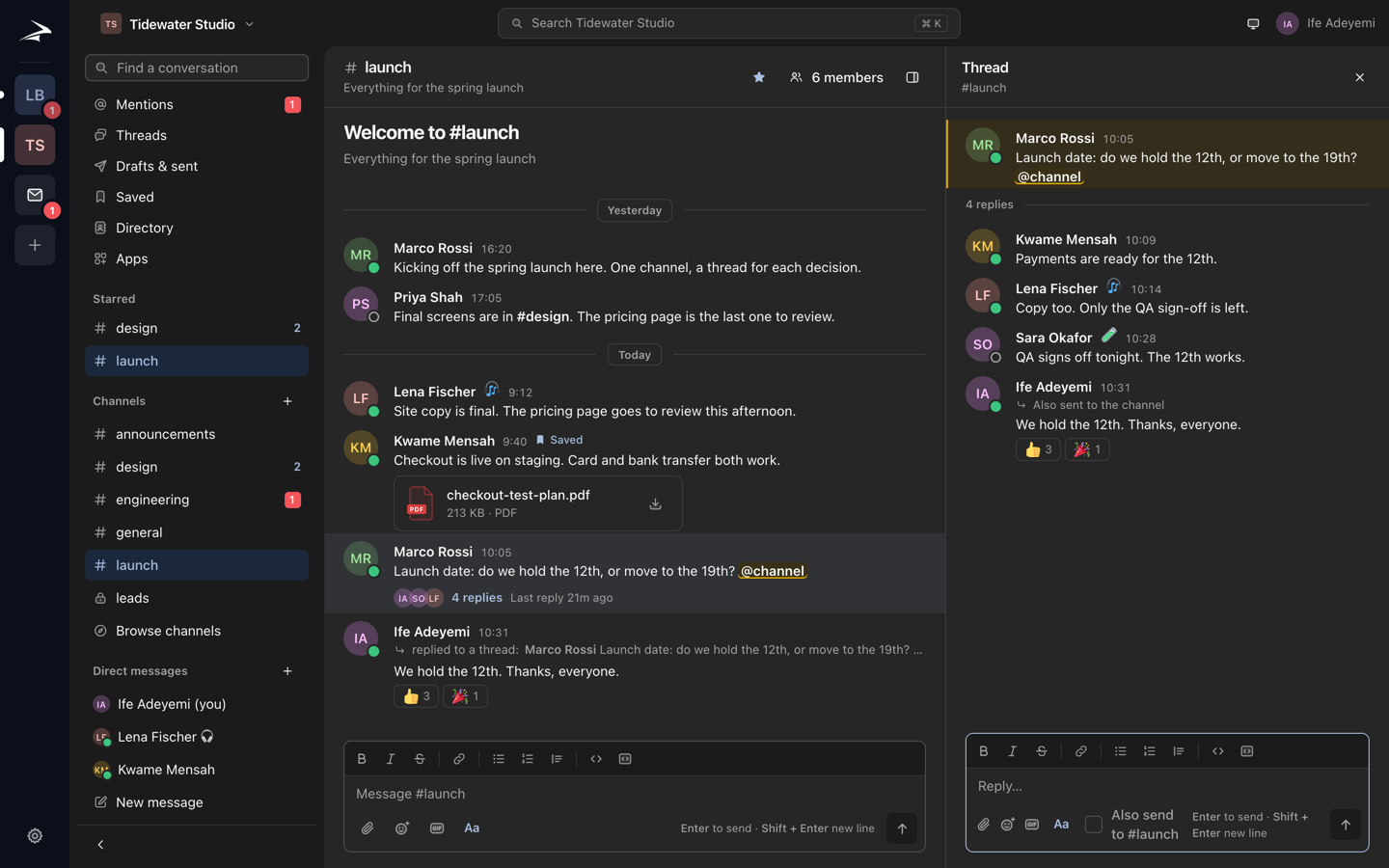
Channels and threads
Public and private channels, direct and group messages, and a thread on any message so a discussion never buries the channel. Reply in a thread and also send it to the channel when everyone should see it.
Messages and files
A composer that keeps formatting when you paste, mentions with @channel and @here, reactions, edits, and files and images up to 100 MB on Free.

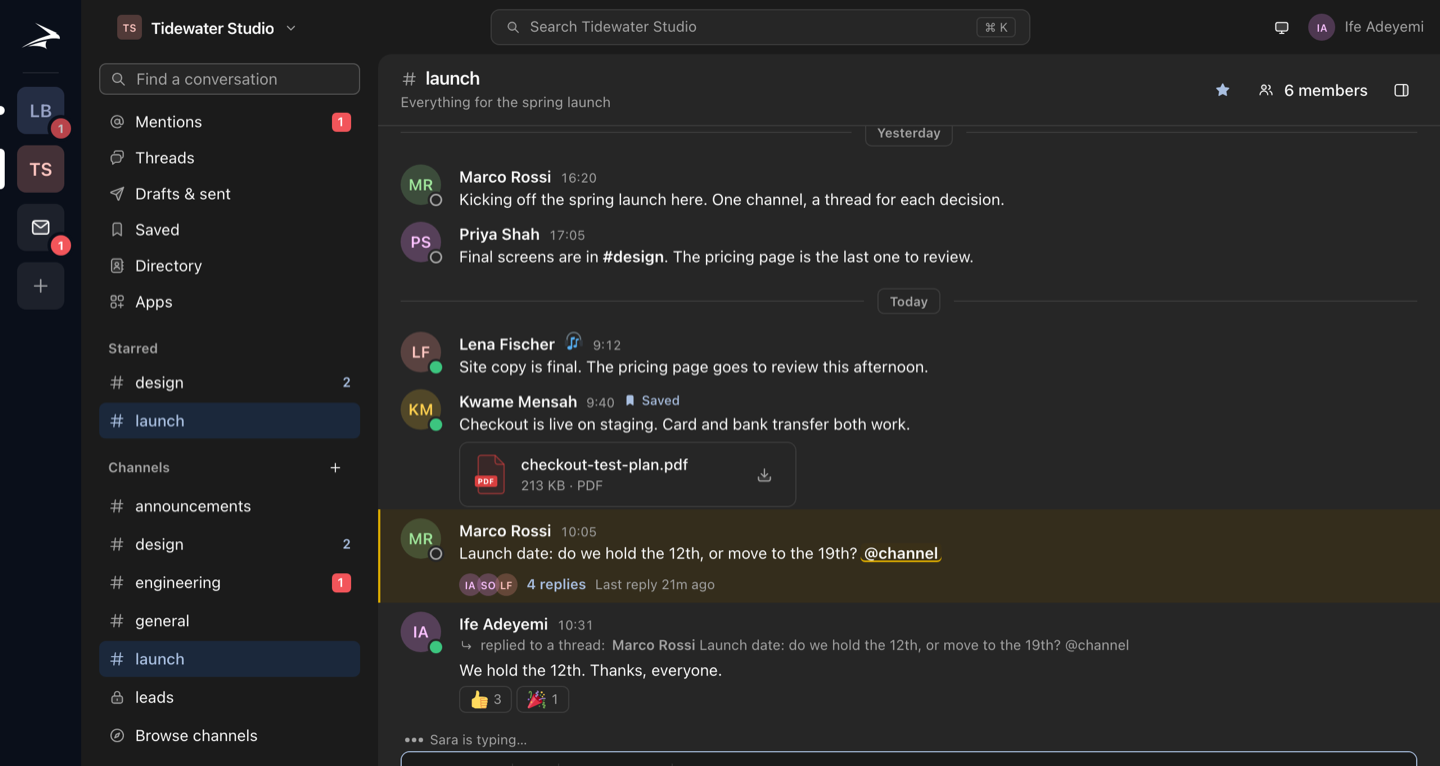
Realtime
Messages arrive the moment they are sent. See who is typing and who is online, hear a sound for what matters, and never miss a message when your connection drops.
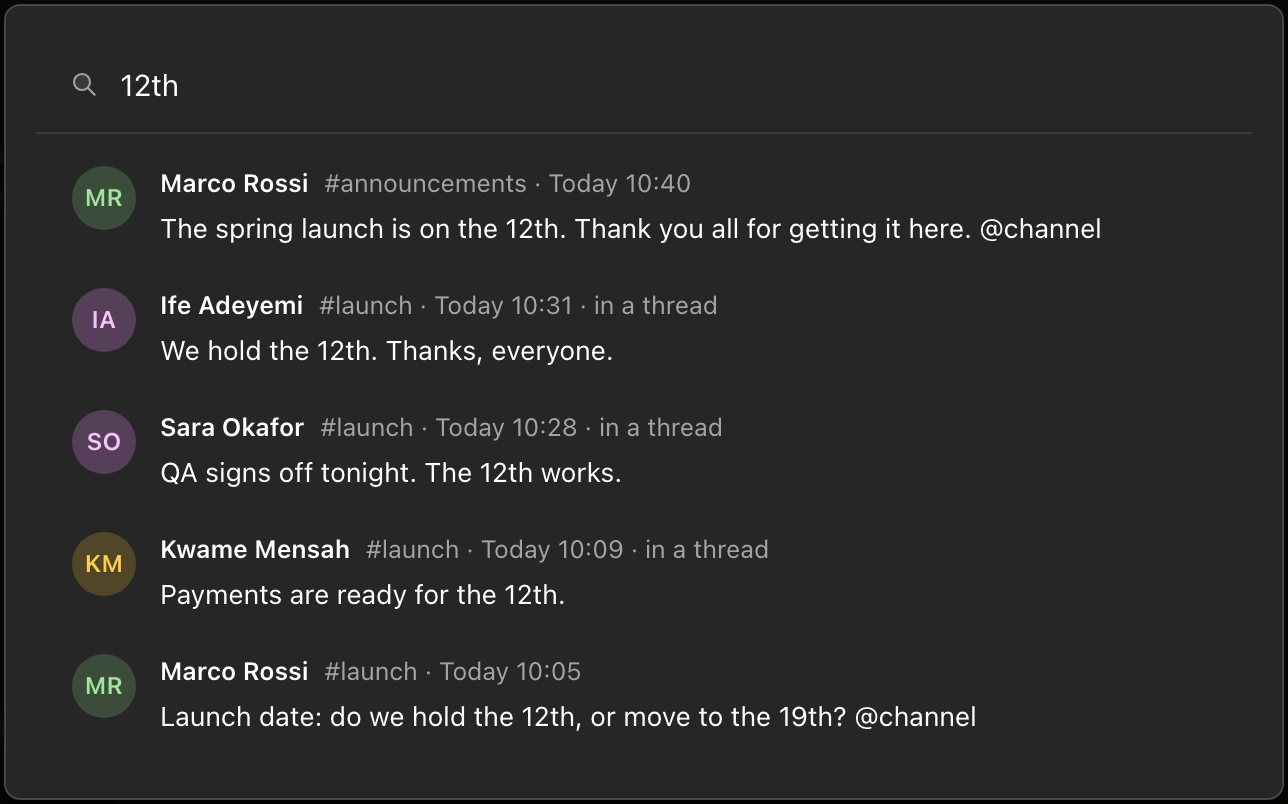
Find anything
Search every channel and conversation you can read, and land on the exact message. Saved, Starred, Threads, Mentions and Drafts and sent keep the rest one click away.
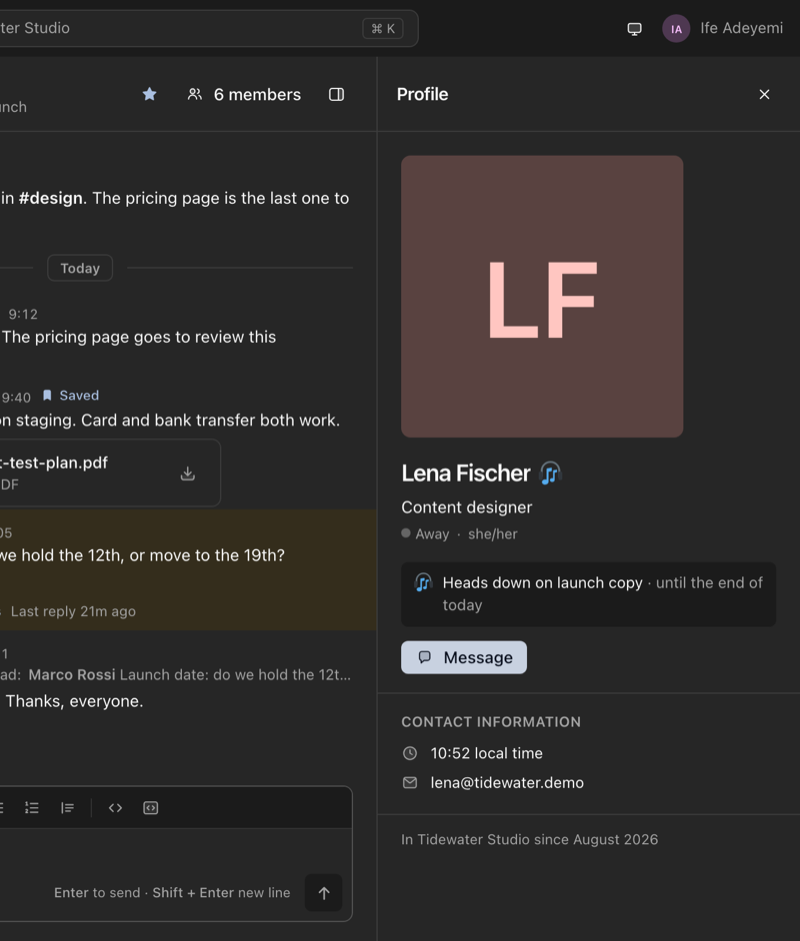
Profiles and status
A profile for each workspace you are in: a name, photo, what you do, pronouns, time zone, contact details and links. Set a status that clears itself.
Teams and communities
Create a workspace for your team or your community, invite people by email or with a link, and switch between every workspace you are in from one rail.
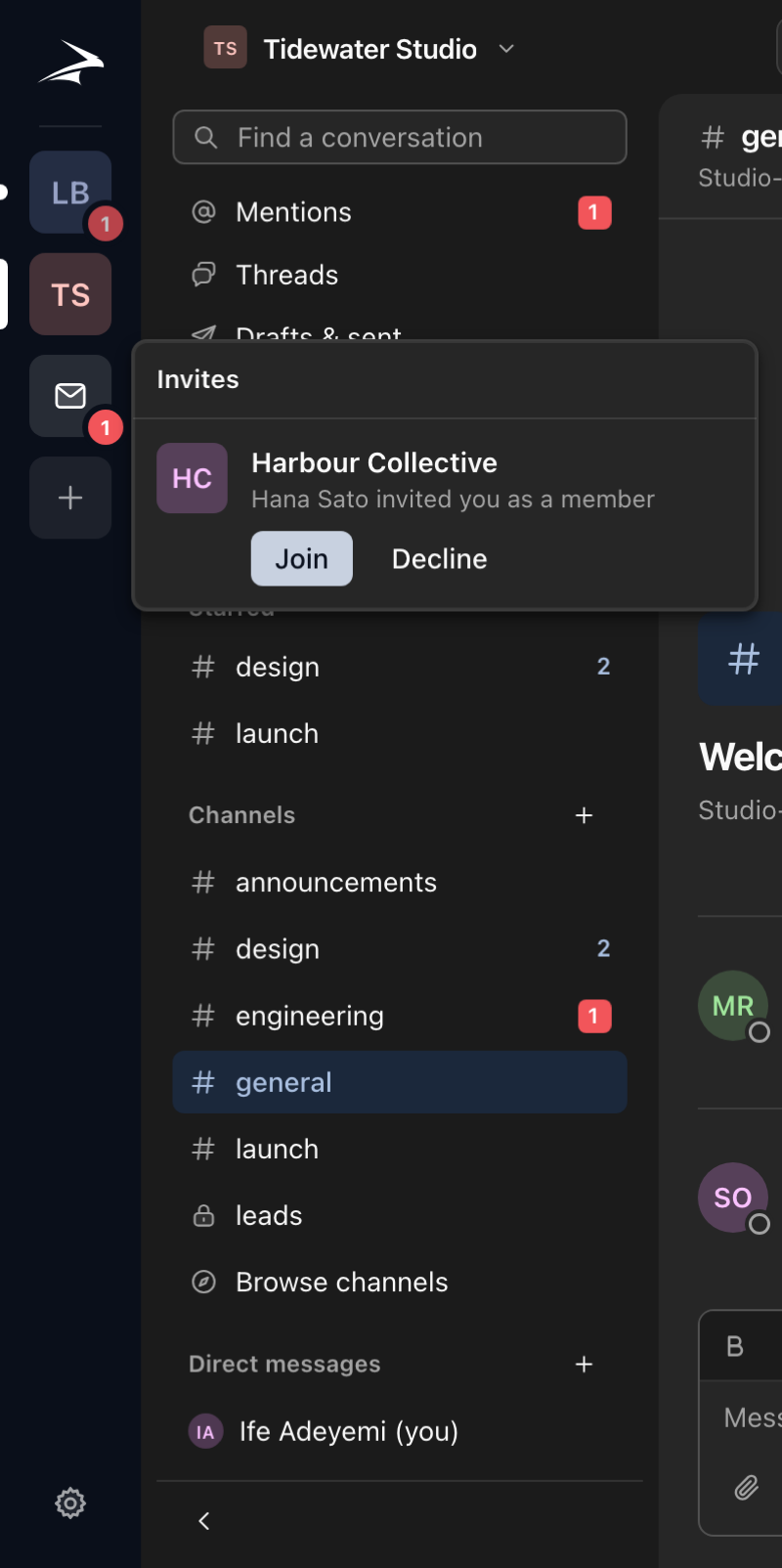
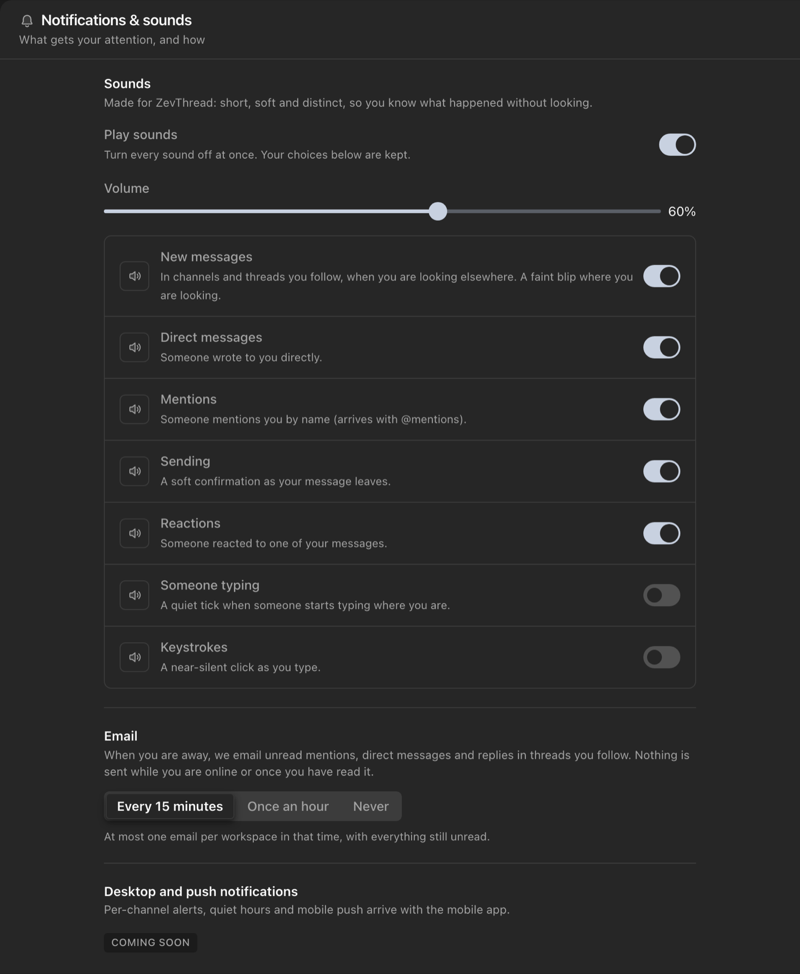
Notifications
Unread counts, mention badges and sounds in the app, and an email when you are away and something still needs you: every 15 minutes, hourly, or never.
Better together
ZevThread works on its own, or connects to the rest of the ecosystem through ZevID, the single account that ties every Zev product together.
Start with ZevThread today.
Create a ZevID and add the rest of the ecosystem as you grow.